


LineStar for FD
4.5678.00 Reviews
App Specs
- Version
- 3.7.0
- Updated On
- License
- Free
- Downloads
- 50,000+
- Developer
- BetFully, Inc.
- Categories
- Sports
- Platform
- Android
Screenshots
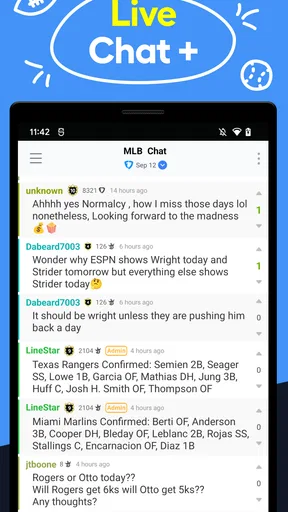
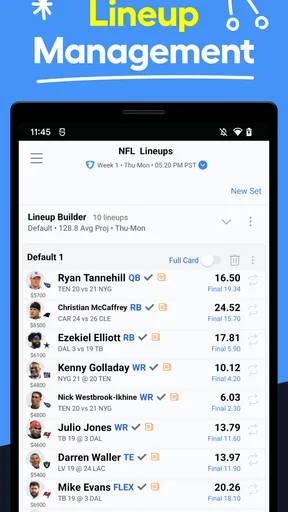
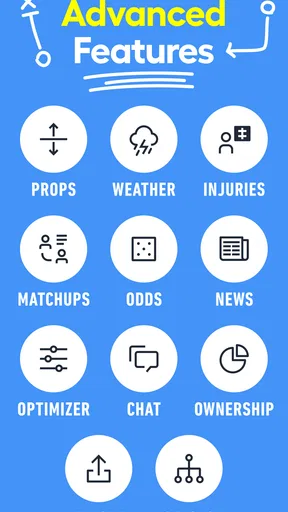
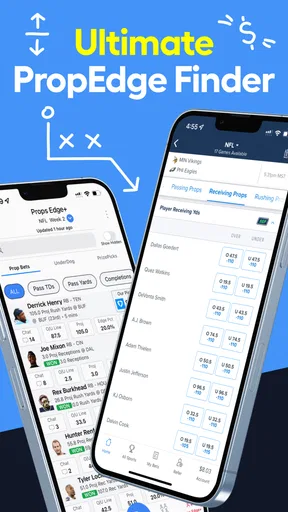
 Analysis by AppCompare
When I use a daily fantasy sports tool on a shared household device, I care about more than projections. I want to know whether the workflow stays clear when another person uses the same phone, whether paid options are easy to recognize, and whether the app helps me make decisions instead of pushing me toward rushed ones. That is where LineStar for FD, a sports app from BetFully, Inc., makes the most sense: it is a lineup-planning companion for people who already understand the basics of daily fantasy and want more structure before entering a contest.
My overall impression is positive, but it is not a universal recommendation. The app is useful when I want projections and lineup strategy gathered in one place, especially before I commit an entry. It is less suitable for someone looking for a simple score tracker, a casual sports news feed, or a completely free experience with no paid upgrade path. The best way to view it is as a decision-support tool, not as a promise of winning results.
Using LineStar for FD in a shared household
When I use LineStar for FD in a shared household, I find it helps to agree on a simple handoff routine: make clear when research is finished, close any account or purchase screens, and leave the next person with no reason to guess what is active. That small habit keeps the app’s lineup planning separate from someone else’s decisions and gives us a calmer starting point for the next slate.
A practical evening scenario
Imagine a household where one person follows basketball closely while another uses the same Android phone for everyday tasks. I might open the app before a slate, review the available player information, and compare possible lineup combinations. Later, someone else may pick up the device without knowing what I was researching. That small change in context matters: fantasy sports decisions can involve account access, personal spending choices, and information that should not be treated like a shared game.
LineStar for FD works best when I treat the phone as a planning workspace rather than a communal entertainment screen. I would finish reviewing a lineup, close the app, and avoid leaving sensitive account pages or payment screens open. The app itself is focused on daily fantasy sports, so the main household challenge is not learning a complicated game interface. It is keeping each person’s fantasy activity separate and making sure nobody assumes that a suggested lineup is automatically ready to submit.
This is also why I would not hand the app to a younger family member simply because it looks like a sports product. Its content rating is Teen, and the presence of in-app purchases means an adult should remain responsible for decisions involving entries or upgrades. A teenager may enjoy studying sports strategy, but that is different from giving them unrestricted control over fantasy activity or purchases.
What the first setup should accomplish
My first step would be to decide exactly what I want from the app. If I only need a quick glance at sports news, LineStar for FD is more focused than necessary. If I want help comparing players and building a daily fantasy approach, the app has a clearer purpose. Starting with that distinction prevents a common mistake: installing a specialized tool and expecting it to replace every other sports app.
Worth Reading Before You Choose

Flipboard Shows What News Apps Must Do Beyond the Feed

Switching to Android Auto Means Rethinking Your Driving Routine

Google Calendar Makes a Crowded Week Easier to Manage

Ludo King Makes the Most of the Minutes Between Plans

Baby Panda World Brings Quick Play to Modern Phones, but Its Game Library Feels Busy

ESPN’s Live Game View Makes Following Close Games Easier
The app is free to install, which makes trying the basic workflow straightforward. Its current version is 3.7.0 and it requires Android 6.0 or later, so compatibility is worth checking before planning around it. The free entry point is helpful for a household because I can examine whether the interface fits my routine without paying immediately. At the same time, in-app purchases range from $9.99 to $239.99 per item, so I would not let a shared device become a place where anyone can approve purchases casually.
I would also keep a clear boundary between research and submission. A projection is an input, not a final decision. Before using any suggested combination, I would check the contest rules, the available salary structure, late news, and whether the lineup still reflects my own risk tolerance. This extra pause is especially important when several people are discussing a slate together, because friendly advice can easily sound more certain than it really is.
Separating accounts and responsibilities
LineStar for FD is not something I would use as a substitute for account hygiene. On a shared phone, each adult should know whose fantasy account is active before any lineup is copied or submitted elsewhere. I would avoid saving payment details for convenience on a device that children or guests regularly use, and I would make sure the person making the final entry is the person who understands the financial consequence.
That boundary also helps when two household members follow different sports or contests. One person might use the app for a careful, low-volume routine while another wants to experiment more often. Keeping their research notes, contest choices, and spending decisions distinct prevents the app from becoming a source of confusion. The tool can support coordination, but it cannot replace an agreement about who is allowed to do what.
A useful habit is to say out loud whether a conversation is about analysis or action. “This is the lineup I am considering” is very different from “This has been entered.” I find that simple distinction valuable because projections and strategy tools can make a process feel finished before the actual review is complete.
How I would coordinate with another adult
If I were using the app with a partner or friend in the same home, I would divide the work rather than duplicate it. One person could review projections and possible value plays, while the other checks news, contest requirements, and the final lineup construction. This makes the app more useful because it becomes part of a deliberate process instead of a screen that both people tap randomly.
The strongest coordination method is to share conclusions, not blindly share every recommendation. I would explain why a player or lineup structure caught my attention, then let the other person challenge the assumption. That approach protects against one of the app’s natural limitations: no projection can fully account for the personal strategy a user brings to a contest. A lineup built for safety may not suit someone seeking a higher-variance approach, even when both people see the same information.
I would also agree on a stopping time. Daily fantasy decisions can expand endlessly as users chase one more adjustment. LineStar for FD is most helpful when it narrows the process, not when it encourages constant tinkering. Once the lineup meets the contest rules and the household’s agreed budget, further changes should have a clear reason behind them.
Age, trust, and responsible use
The Teen rating is an important part of the app’s context. I would be comfortable with a teenager learning about sports statistics and lineup strategy under adult guidance, but I would not confuse educational interest with permission to manage purchases or fantasy entries. The household should decide who can use the app, who can view an active account, and who has authority to make a paid decision.
Trust matters because the app sits between sports analysis and financial behavior. Even when the installation costs nothing, the available purchases create a reason to discuss limits before use. I would explain that projections are opinions or estimates used for planning, not guarantees. That lesson is more valuable than teaching someone to follow a particular recommendation without questioning it.
I also prefer keeping expectations realistic when introducing the app to someone inexperienced. A new user may assume that a polished lineup suggestion has a better chance simply because it looks organized. I would walk them through the difference between a tool that helps compare options and an outcome that remains uncertain. This is one of the clearest ways an adult can make the app safer and more useful in a shared environment.
Where the strategy features help
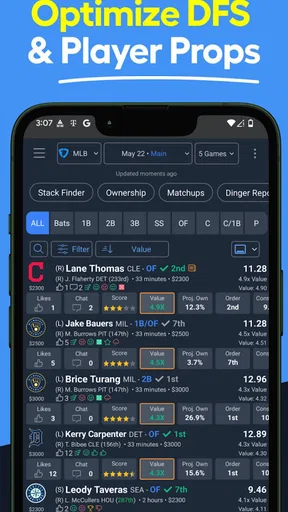
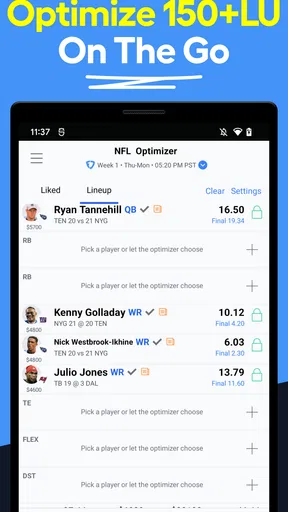
The main strength I see is the way the app concentrates on lineup thinking rather than general sports coverage. Its store summary points to optimal lineups, projections, and strategy for daily fantasy sports, and that focus gives me a more purposeful workflow than scrolling through unrelated headlines. When I already know which sport and contest type I am considering, a dedicated planning tool is easier to use than a broad sports app.
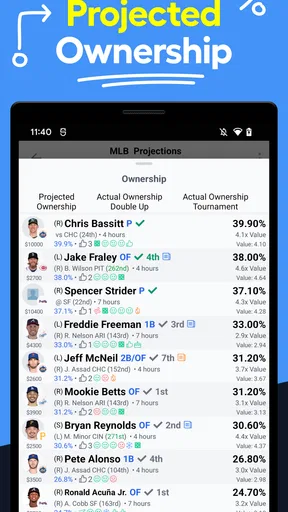
One practical technique is to use projections as a screening layer. I would first identify players or combinations worth investigating, then apply my own checks for role, matchup, expected opportunity, and late information. This keeps the app from becoming a one-click answer machine. It also helps me notice where my personal assumptions disagree with the projection, which can be more useful than simply accepting a list.
Another useful trade-off is speed versus understanding. A lineup tool can shorten the time needed to assemble ideas, but fast construction may hide why a lineup works together. I would deliberately inspect the reasoning behind a choice before using it. If I cannot explain the lineup in plain language, I probably have not reviewed it enough, regardless of how convenient the app feels.
A third insight is that household discussion can expose weak assumptions. If I show another adult two possible lineups and explain the difference in risk, their questions may reveal that I am relying too heavily on one projection or overlooking a contest restriction. Used this way, LineStar for FD becomes a prompt for better judgment rather than an authority that ends the conversation.
What it does better than ordinary alternatives
Compared with a general sports news app, LineStar for FD is more directly connected to the task of preparing a daily fantasy lineup. A news app may be better for scores, breaking stories, and broad league coverage, but it usually does not give the same focused planning experience. If my goal is lineup research, switching between a news feed and a separate notes app can be slower and less organized.
Compared with building every lineup manually from memory, the app offers a more systematic starting point. Manual research can be rewarding for experienced users who enjoy complete control, but it also takes time and makes it easier to overlook an option. I appreciate a tool that helps me create a shortlist, provided I still make the final judgment myself.
On the other hand, a spreadsheet or a highly customizable analytics platform may suit advanced users better. Someone who wants to import personal models, create detailed filters, or control every calculation may find a focused mobile app limiting. I would choose LineStar for FD when convenience and guided strategy matter more than constructing a private research system from the ground up.
It also should not be confused with a fantasy league management app. Traditional season-long fantasy tools are built around rosters, waivers, trades, and ongoing matchups. This app is aimed at daily fantasy planning, so a user looking for long-term league administration should choose a different category of product.
Costs, expectations, and the right user
The free price makes the app approachable, but the purchase range deserves attention before anyone in the household explores premium options. I would treat every upgrade as optional and decide in advance whether it improves my actual process. Paying more does not remove uncertainty from daily fantasy, and it does not turn a projection into a guarantee.
For me, the app is a good fit if I enter daily fantasy contests often enough to value faster research, want projections in a dedicated sports tool, and am willing to verify suggestions independently. It may also help a newer player learn how lineup decisions are structured, as long as the learning process includes discussion of risk and contest rules.
I would skip it if I rarely play daily fantasy, dislike projection-based analysis, or want a completely passive sports experience. I would also look elsewhere if my priority is deep custom modeling rather than a mobile-first strategy workflow. The app’s usefulness depends heavily on whether its focused approach matches the way I make decisions.
My household verdict
LineStar for FD earns a place on my shortlist for daily fantasy research because it gives the activity a clearer structure than ordinary sports browsing. BetFully, Inc. has positioned it as a specialized sports app, and the strong 4.5 average from around two thousand ratings suggests that many users find that focus worthwhile. With over 50 thousand installs, it is established enough to feel like a real option rather than an obscure experiment.
Still, I would introduce it to a household with rules: adults handle purchases and submissions, each person keeps account activity separate, and every projection receives a final human review. The Teen rating reinforces the need for age-appropriate supervision, while the free installation makes it reasonable to test the workflow before deciding whether any paid item is justified.
My final recommendation is therefore conditional but clear. If you want a focused companion for building and evaluating daily fantasy lineups, I think LineStar for FD is worth trying. Use it to organize research, challenge your assumptions, and save time—not to outsource judgment. In a shared home, that balanced approach is what turns the app from a tempting shortcut into a genuinely useful part of a responsible sports routine.
Pros
- Simple interface makes flight planning quick and easy.
- Useful for checking flight details and operational information.
- Helps organize flight-related data in one convenient place.
- Lightweight app that should work smoothly on compatible devices.
- Practical companion for pilots using supported flight operations.
Cons
- Its usefulness depends heavily on compatibility with your airline or operator.
- Some features may require an account or authorized access.
- Information may not update instantly during changing flight conditions.
- The interface can feel limited compared with full-featured flight apps.
- Not designed for casual travelers looking for booking or tracking tools.
FAQs for LineStar for FD
What is LineStar for FD, and what does it do?
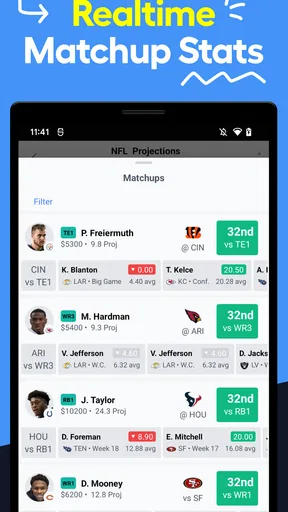
LineStar for FD is a companion app designed to help users research and organize information for FanDuel daily fantasy contests. It can provide tools such as player research, projections, matchup information, lineup-building assistance, and contest-planning features, depending on the current version. It is best viewed as a research and decision-support tool rather than an automatic guarantee of winning lineups.
Is LineStar for FD free to download and use?
The app may be available to download at no initial cost, but some features can require a subscription, in-app purchase, or account upgrade. Before using premium tools, check the pricing page and the terms shown in the app store listing. Also confirm whether billing renews automatically, whether a trial converts into a paid plan, and how cancellation works on your Android or iOS device.
Do I need a FanDuel account to use LineStar for FD?
You may be able to browse certain information without logging in, but the app’s most useful features may be intended for people who actively play FanDuel contests. A FanDuel account is generally required to enter contests, while LineStar for FD may function separately as a research or lineup-planning tool. Never share your FanDuel password unless the app clearly explains a secure, official connection method.
Can LineStar for FD guarantee winning fantasy lineups?
No fantasy sports application can guarantee profits or winning results. LineStar for FD may make research easier by presenting projections, statistics, trends, or lineup suggestions, but player performance is unpredictable and contest results depend on injuries, coaching decisions, competition, and many other factors. Use the app as an aid, verify important information yourself, and only play with money you can afford to lose.
What should I check before downloading and using LineStar for FD?
Before downloading, review the app’s latest store description, supported device requirements, update history, privacy policy, subscription terms, and user reviews. Check whether the data is current for the sports and contests you follow, and confirm that the app is officially available in your country. You should also verify age and location restrictions, since FanDuel and daily fantasy contests may not be accessible everywhere.


